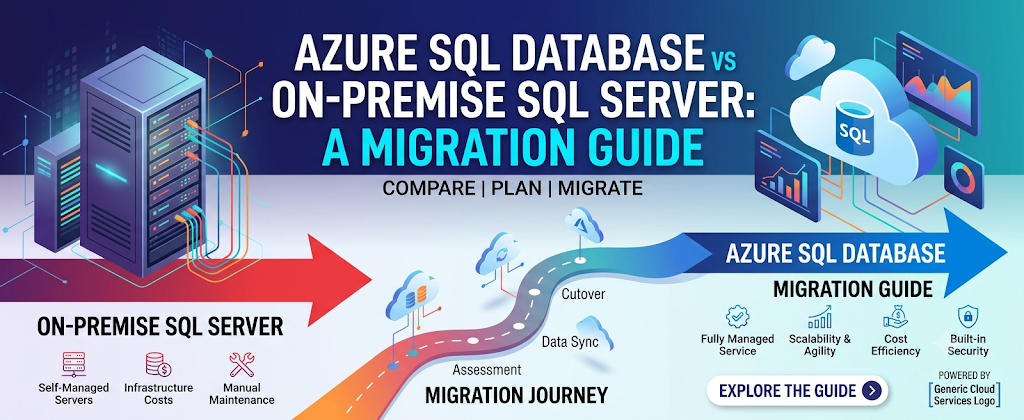
The question of whether to migrate a SQL Server workload to Azure SQL Database is no longer a purely technical decision. It sits at the intersection of infrastructure strategy, regulatory compliance, total cost of ownership, and organisational risk appetite. For IT leaders in the United Kingdom, it carries the additional weight of data sovereignty obligations under the UK General Data Protection Regulation and the Data Protection Act 2018 obligations that have become more nuanced since the UK departed from the European Union.
This guide does not advocate for one approach over the other. Both on-premise SQL Server and Azure SQL Database are mature, enterprise-grade platforms capable of supporting mission-critical workloads. The right answer is entirely dependent on the specific characteristics of your environment, your organisation’s cloud strategy, and the operational capabilities of your team. What this guide provides is a structured, honest framework for making that decision and for executing the migration effectively if you determine that Azure SQL Database is the right destination.
Section 1: Understanding the Platforms
1.1 On-Premise SQL Server
On-premise SQL Server is a fully self-managed relational database management system deployed on hardware that your organisation owns or leases, housed in facilities under your direct control. You are responsible for every layer of the stack: physical hardware, operating system, SQL Server installation and configuration, patching, backup infrastructure, high availability architecture, and capacity management.
This model offers maximum control and maximum flexibility. You can configure every aspect of the platform to your precise requirements, deploy any version or edition of SQL Server, and integrate with on-premise systems without the latency and connectivity considerations that cloud deployments introduce. However, this control comes at a cost, both financial and operational. The capital expenditure of hardware procurement, the ongoing operational burden of patching and maintenance, and the staffing requirements to support a 24/7 production environment are non-trivial.
On-premise deployments also require you to plan. Capacity must be provisioned for anticipated peak load rather than actual current need, which typically means carrying excess infrastructure for much of the year. Scaling up requires hardware procurement lead times that can span weeks or months. And when hardware reaches the end of life, a full refresh cycle begins again.
1.2 Azure SQL Database
Azure SQL Database is a fully managed Platform-as-a-Service (PaaS) offering built on the SQL Server engine and hosted within Microsoft’s Azure cloud infrastructure. Microsoft assumes responsibility for the underlying hardware, operating system maintenance, SQL Server patching, and the physical infrastructure of high availability and disaster recovery. Your organisation manages the database-level configuration, schema, data, access controls, and application integration.
Within the Azure SQL family, it is important to understand the distinction between the three principal deployment models. Azure SQL Database is the fully managed, cloud-native option. It abstracts the most infrastructure away and is best suited to modern applications built for the cloud. Azure SQL Managed Instance sits in the middle ground, providing near-complete SQL Server surface area compatibility in a managed environment, making it a more suitable landing zone for applications that depend on SQL Server Agent, cross-database queries, or other features not available in Azure SQL Database. Azure SQL on Virtual Machines is, in effect, self-managed SQL Server running on Azure infrastructure, closer to on-premise in operational model but hosted in the cloud.
The distinction matters enormously when planning a migration. Organisations that assume Azure SQL Database is a direct drop-in replacement for on-premise SQL Server often encounter compatibility gaps that require application re-engineering. Understanding which deployment model your workload actually requires is one of the most important assessments in the pre-migration phase.
Section 2: Comparative Analysis
2.1 Total Cost of Ownership
The financial comparison between on-premise SQL Server and Azure SQL Database is rarely as straightforward as it appears at first glance, and simplistic comparisons based solely on licensing costs almost always produce misleading conclusions.
On-premise costs extend well beyond SQL Server licensing. Hardware acquisition and refresh cycles, data centre facilities costs including power and cooling, storage infrastructure, network equipment, backup media and offsite storage, and the fully loaded cost of the staff required to operate and maintain the environment must all be factored in. For organisations running older hardware approaching the end of life, a cloud migration can represent an opportunity to convert a looming capital expenditure into a predictable operational expenditure, a transition that many finance functions view favourably.
Azure SQL Database operates on a consumption-based pricing model. You pay for the compute and storage you consume, with the option to commit to reserved capacity in exchange for significant discounts over pay-as-you-go rates. Microsoft’s Azure Hybrid Benefit allows organisations with existing SQL Server licences covered by Software Assurance to apply those licences toward Azure SQL Database, which can reduce the cost of cloud compute substantially in some configurations by more than 40%.
However, cloud costs have a tendency to exceed initial projections if not actively managed. Egress charges on large data transfers, costs associated with geo-replication and backup storage, and the operational overhead of cloud governance tooling are costs that on-premise comparisons frequently omit. A rigorous Total Cost of Ownership (TCO) analysis must account for both directions of cost flow and should extend over a minimum five-year horizon to be meaningful.
2.2 Performance Characteristics
On-premise SQL Server performance is largely a function of the hardware it runs on. With properly specified storage, sufficient RAM, and well-tuned query workloads, on-premise deployments can achieve extremely high throughput with predictable, consistent latency. The absence of a network hop between application and database, where both run within the same data centre or even the same server, eliminates a variable that cloud architectures must always account for.
Azure SQL Database offers compelling performance characteristics of its own, particularly for workloads that benefit from elastic scalability. The Hyperscale service tier, for instance, supports databases up to 100 terabytes and provides near-instant scale-out read replicas without the provisioning overhead of traditional storage expansion. The General Purpose and Business Critical tiers are well-suited to the majority of enterprise workloads, with Business Critical providing locally attached SSD storage and in-memory OLTP capability for latency-sensitive applications.
The critical performance consideration for cloud migrations is network latency between the application tier and the database. Where application servers remain on-premises and databases move to Azure, every database call traverses the WAN, introducing latency that may be imperceptible for batch workloads but significant for chatty, high-frequency OLTP applications. This is one of the strongest arguments for co-locating application and database tiers within Azure during a migration, rather than treating the database as an isolated workload.
2.3 Availability & Disaster Recovery
On-premise high availability requires deliberate, expensive architecture. Implementing Always On Availability Groups demands licensed secondary nodes, dedicated networking, Windows Server Failover Clustering configuration, and ongoing operational expertise to maintain. Disaster recovery to a geographically separate site requires either a second data centre or a colocation arrangement, both of which represent high additional cost.
Azure SQL Database builds high availability into the platform as standard. The General Purpose tier uses remote storage with redundant compute, providing availability comparable to a two-node Always On cluster. The Business Critical tier provides a built-in Always On Availability Group across three replicas within the same Azure region, with a readable secondary available at no additional charge. Geo-replication and the auto-failover groups feature extend protection across Azure regions with configurable automatic failover policies.
The critical observation here is that the level of availability that requires substantial engineering effort and capital investment on-premise is simply included in the platform on Azure. For organisations where the high-availability architecture of on-premises SQL Server has historically been either absent, poorly configured, or prohibitively expensive to improve, the migration to Azure SQL Database can represent a genuine uplift in resilience.
2.4 Security Posture
Both platforms support a comprehensive set of security controls, but the operational model differs considerably. On-premise, security is entirely your responsibility, from physical access controls on server hardware through to database-level encryption, network segmentation, and patch currency. The risk of misconfiguration, delayed patching, or configuration drift is proportional to the maturity of your change management and security governance processes.
Azure SQL Database benefits from Microsoft’s substantial investment in cloud security infrastructure. Transparent Data Encryption is enabled by default. Microsoft Defender for SQL provides continuous vulnerability assessment and advanced threat detection alerting on anomalous access patterns, SQL injection attempts, and anomalous data exfiltration behaviour without requiring manual configuration of individual alerts. Microsoft manages the underlying OS patching and infrastructure hardening, eliminating an entire category of vulnerability management responsibility.
The shared responsibility model cuts both ways, however. Your organisation remains fully responsible for database-level access controls, identity management, encryption key lifecycle, and network access configuration. An Azure SQL Database exposed to the public internet with weak authentication is no safer than an on-premises equivalent; the platform controls cannot compensate for poor configuration at the database layer.
Section 3: UK Regulatory & Compliance Considerations
This section warrants particular attention for UK-based organisations, as the regulatory landscape introduces constraints that may not be immediately apparent to teams focused primarily on technical architecture.
3.1 UK GDPR & Data Residency
Under the UK GDPR, organisations must ensure that personal data is processed in accordance with the data protection principles, including the requirement for appropriate technical and organisational security measures. Whilst the regulation does not prescribe specific geographic storage requirements, it does require that transfers of personal data to third countries outside the UK are subject to appropriate safeguards.
Microsoft provides contractual data residency commitments for Azure SQL Database, allowing UK customers to specify that their data is stored and processed within the United Kingdom South and United Kingdom West regions. For most organisations, this satisfies the data residency requirement. However, it is important to understand that some Azure services used in conjunction with your database telemetry, diagnostic logging, and support interactions may involve data flows that cross regional boundaries. A thorough Data Protection Impact Assessment (DPIA) under Article 35 of the UK GDPR is advisable before migrating any database that holds personal data to Azure SQL.
3.2 Sector-Specific Regulations
Organisations operating in regulated sectors face additional compliance obligations beyond UK GDPR. Financial services firms regulated by the Financial Conduct Authority (FCA) and Prudential Regulation Authority (PRA) must assess cloud migrations against the FCA’s guidance on outsourcing and operational resilience, including the requirements set out in SS2/21 on operational resilience. The obligation to demonstrate exit strategy and concentration risk management is particularly relevant organisations must be able to demonstrate that dependence on a single cloud provider does not create an unacceptable systemic risk.
Healthcare organisations governed by NHS Digital standards must ensure that any cloud platform hosting patient data meets the Data Security and Protection Toolkit requirements. Legal and financial services firms with obligations under the Solicitors Regulation Authority or Financial Reporting Council frameworks must similarly map cloud migration plans against their specific regulatory obligations before proceeding.
3.3 ICO Accountability
The ICO’s accountability framework requires organisations to be able to demonstrate that they have assessed the risks of their processing activities and implemented appropriate controls. For a database migration to Azure SQL, this means documenting the risk assessment, the security controls in place, the data flows involved, and the contractual basis on which Microsoft processes data on your behalf. Microsoft’s Data Processing Agreement for Azure services provides the contractual framework for this relationship, but the documentation burden for demonstrating accountability sits with your organisation.
Section 4: Feature Compatibility & Migration Readiness
4.1 Compatibility Assessment
Before any migration planning can begin in earnest, a compatibility assessment is essential. Azure SQL Database does not support the full SQL Server feature surface area, and applications that rely on certain SQL Server capabilities will require modification before they can operate against Azure SQL Database.
SQL Server Agent jobs are not supported in Azure SQL Database; they are supported in Azure SQL Managed Instance, which is an important reason why many organisations migrating complex workloads choose the Managed Instance deployment model over the fully managed database service. Cross-database queries using three-part naming conventions, linked servers, and distributed transactions via the Microsoft Distributed Transaction Coordinator are similarly unsupported in Azure SQL Database proper. Applications that rely on CLR integration, Service Broker, or Database Mail must be assessed carefully before selecting Azure SQL Database as their target.
Microsoft’s Database Migration Assessment tool, accessible through Azure Data Studio, provides automated analysis of a source SQL Server instance and produces a readiness report identifying incompatible features, deprecated syntax, and potential migration blockers. Running this assessment early, ideally at the beginning of the migration planning phase rather than immediately before cutover, provides the time needed to resolve blockers through application changes, workload redesign, or a reconsideration of the target deployment model.
4.2 Choosing the Right Deployment Model
The decision between Azure SQL Database, Azure SQL Managed Instance, and SQL Server on Azure Virtual Machines should be driven by compatibility requirements, not by cost alone. The fully managed Azure SQL Database is the right choice for applications that have been designed for cloud-native deployment, can tolerate the reduced feature surface area, and will benefit most from the elastic scaling and minimal operational overhead the platform offers.
Azure SQL Managed Instance is typically the better choice for complex, feature-rich on-premise SQL Server workloads that need to be migrated with minimal application change. It provides near-complete SQL Server surface area compatibility, supports SQL Server Agent, allows cross-database queries within the same instance, and supports most SQL Server features that Azure SQL Database does not. The trade-off is a higher cost and a longer deployment and configuration time.
SQL Server on Azure Virtual Machines represents the smallest architectural leap from on-premises. It is suitable for applications with extreme compatibility requirements, organisations that need to run specific SQL Server editions or versions, or teams that are not yet ready to transition to a managed service model. However, it also requires the most operational management and foregoes many of the platform benefits that make cloud migration attractive in the first place.
Section 5: Migration Methodology
5.1 Pre-Migration Planning
Effective migration begins weeks or months before any data moves. The pre-migration phase should establish a complete inventory of all databases in scope, including their size, version, feature usage, connectivity dependencies, backup schedules, and associated application ownership. Without a thorough inventory, migration projects routinely encounter surprises: undocumented databases, applications that connect directly to specific SQL Server instances, or maintenance jobs with dependencies that span multiple systems.
Application dependency mapping is as important as the database assessment itself. Every application that connects to the database in scope must be identified, along with its connection method, the SQL Server features it relies upon, and the team responsible for it. Applications that have been in production for many years may contain connection strings and database calls distributed across configuration files, code, and scheduled jobs in ways that are not immediately obvious and a migration that moves the database without updating all connection references will result in a partial outage at cutover.
A clearly defined migration scope, an agreed target architecture, and a realistic timeline with dependencies identified are the outputs of a well-executed pre-migration planning phase. Rushing through planning to reach the technical migration work sooner is one of the most reliable ways to extend the overall project duration.
5.2 Schema & Object Migration
Schema migration, transferring database objects including tables, views, stored procedures, functions, triggers, and indexes from source to target, is typically the first technical migration activity and, in many cases, the most straightforward. Where compatibility issues have been identified in the assessment phase, schema-level changes must be made and regression-tested before any data migration begins.
The Database Migration Service (DMS) provided by Microsoft supports both offline and online migration approaches. For offline migration, the source database is quiesced, a backup is taken, and the database is restored to the target with no ongoing synchronisation. For online migration where minimising downtime is a priority, DMS continuously replicates changes from the source to the target using log-based change data capture, allowing the source database to remain in active use until the final cutover window.
The choice between offline and online migration should be driven by the acceptable downtime window for the workload in question. For non-critical databases or those with a naturally low-activity period, offline migration is simpler to execute and easier to validate. For mission-critical workloads with high availability requirements, online migration with a carefully planned and rehearsed cutover is the appropriate approach.
5.3 Testing & Validation
Migration testing is the phase that most frequently receives insufficient time and attention, and it is the phase where the consequences of inadequacy are most severe. Testing must validate not only that data has been transferred accurately and completely, but that application behaviour against the new platform is functionally equivalent to behaviour against the source.
Row count and checksum validation confirm data completeness. Functional testing, ideally using production-representative workloads, validates that application behaviour is unchanged. Performance testing, using realistic transaction volumes and query patterns, confirms that the target platform meets the performance requirements of the workload under load, not just under the artificially light conditions of a development test.
User acceptance testing (UAT) with representatives from the business teams that rely on the database should be a formal gate before any production cutover is approved. The technical team’s assessment of migration success and the business team’s assessment of functional equivalence are not the same thing, and both are required.
5.4 Cutover Planning
The cutover plan is the most operationally sensitive document in the migration project. It should specify, in precise sequence, every step required to redirect production traffic from the source SQL Server to the target Azure SQL Database along with the rollback procedure to be executed if any step fails or if post-cutover validation reveals an issue that cannot be resolved within the agreed cutover window.
Cutover should be rehearsed. Running through the cutover procedure in a non-production environment, with the actual steps executed by the actual team members who will perform them in production, identifies procedural gaps and timing assumptions that are not apparent from a written plan. A cutover rehearsal that reveals a problem is a success; it is far preferable to discovering the same problem at 2 a.m. on a Sunday with a production database offline.
The rollback procedure must be documented, tested, and understood by every member of the cutover team. The decision criteria for invoking rollback, the specific conditions under which the decision to fall back to the source environment will be made, must be agreed in advance and must not be left to in-the-moment judgement under pressure.
Section 6: Post-Migration Operations
6.1 Performance Baseline & Optimisation
Immediately following the cutover, a period of intensive monitoring is essential. Query plans may differ between the source and target environments, and workloads that performed on-premises efficiently may behave differently under the Azure SQL Database query optimiser, particularly if the compatibility level has changed as part of the migration. Query Store, which is enabled by default on Azure SQL Database, is an invaluable tool during this period, asd it captures before-and-after plan comparisons and identifies regressed queries that require attention.
Azure SQL Database’s built-in Automatic Tuning feature can be enabled to allow the platform to apply and validate index changes and plan corrections automatically. For organisations moving to Azure from a heavily managed on-premise environment, this represents a meaningful shift in operational model, accepting platform-driven optimisation rather than purely manual DBA intervention. Both approaches have merit; the right choice depends on the sensitivity of the workload and the organisation’s tolerance for automated change.
6.2 Ongoing Cost Management
Cloud cost management is a discipline in its own right, and database teams that have operated in a capital expenditure model for most of their careers often find it requires a significant adjustment in mindset. Azure Cost Management and billing alerts should be configured from day one, not as an afterthought when the first unexpectedly large invoice arrives.
Reserved Instance or Azure Reserved Capacity commitments, one-year or three-year prepayments in exchange for significantly reduced hourlyrates,s should be evaluated once post-migration utilisation patterns have stabilised. Committing too early, before actual consumption patterns are understood, risks over-provisioning reserved capacity on tiers or sizes that do not reflect the true workload. Waiting six to eight weeks after the cutover before making Reserved Capacity commitments is a reasonable approach for most organisations.
6.3 Governance & Documentation
Post-migration, the operational documentation established before the migration must be updated to reflect the new environment. Monitoring dashboards, runbooks, escalation procedures, and on-call documentation must all reflect Azure SQL Database’s operational model rather than on-premise procedures that are no longer applicable. This housekeeping step is routinely deprioritised in the pressure to declare a migration complete, and the consequence is typically an operational incident several months later where the team reaches for documentation that no longer reflects reality.
Section 7: When On-Premise Remains the Right Choice
This guide would be incomplete without an honest discussion of the scenarios in which on-premises SQL Server remains the appropriate choice or where a cloud migration should be deferred until preconditions are met.
Organisations with very low latency requirements between application and database tiers, where even a well-optimised Azure network path introduces unacceptable latency for specific workloads, may find that on-premise deployment is technically superior for those particular systems. Workloads with predictable, steady-state resource demands where elastic scalability provides little benefit and the operational simplicity of a well-managed on-premise environment is sufficient may not justify the migration effort and transition cost.
Regulatory or contractual constraints may also preclude cloud migration for specific datasets, particularly in defence, central government, and certain financial services contexts where data handling requirements go beyond what standard cloud provider contractual frameworks can accommodate. In these cases, private cloud or hybrid architectures may represent the appropriate middle ground.
Finally, organisations whose internal capability to manage cloud infrastructure is not yet mature should approach cloud migration with caution. Azure SQL Database reduces infrastructure management burden significantly, but it does not eliminate operational responsibility, and teams that are unfamiliar with cloud-native monitoring, identity and access management, and cost governance may find that the migration creates new operational risks even as it resolves existing ones. Building cloud operational capability in parallel with migration planning, rather than assuming it will develop naturally as a by-product of the migration itself, is essential.
Conclusion
Migrating from on-premises SQL Server to Azure SQL Database is one of the more consequential decisions an IT manager can make regarding their organisation’s data infrastructure. When it is the right decision for the right workload, planned and executed properly, with regulatory obligations properly understood, it can deliver genuine improvements in availability, security, scalability, and operational efficiency. When it is the wrong decision, or the right decision executed poorly, the consequences can be severe.
The framework this guide provides is a starting point, not a prescription. Every migration is shaped by the specific characteristics of the workload, the organisation’s risk appetite, the capabilities of the team, and the regulatory environment in which the organisation operates. Engage that context seriously, invest in the assessment and planning phases, test comprehensively, and rehearse the cutover, and the migration has every reasonable chance of success.